Register MomoCast extension
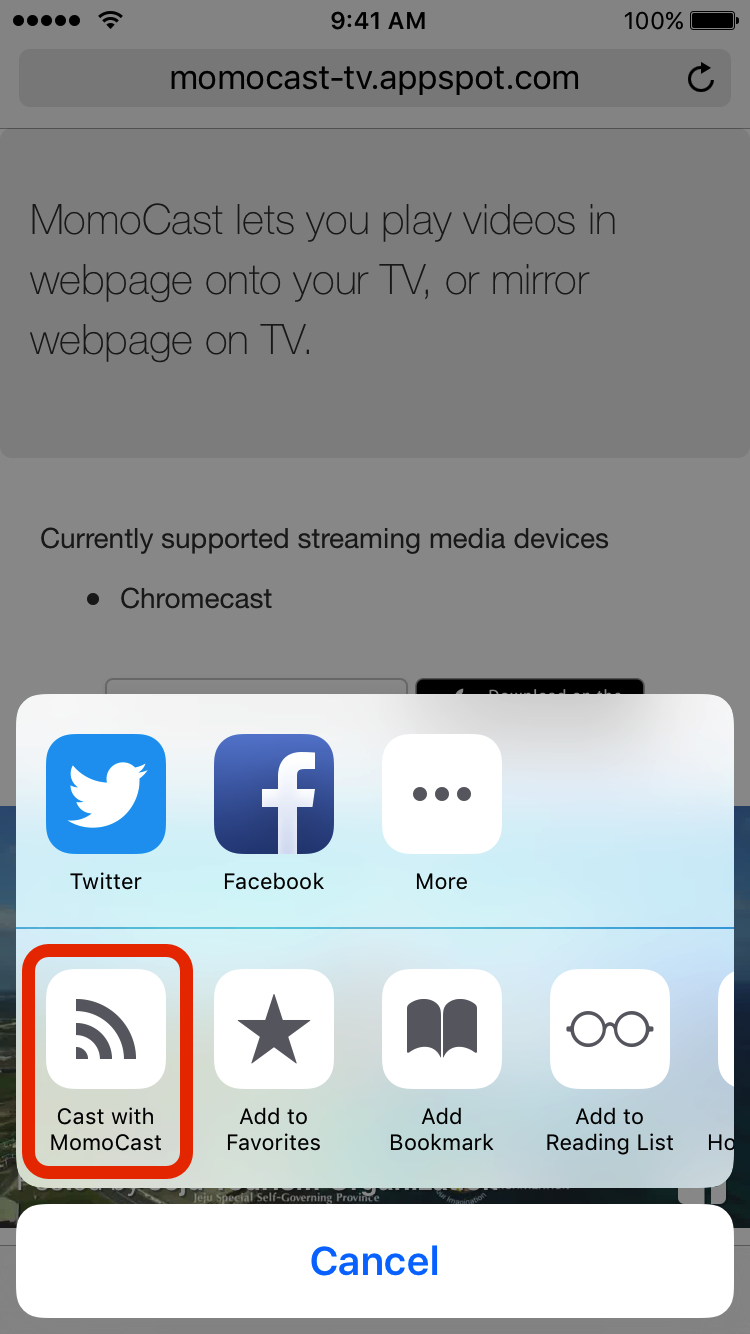
After pressing  , press
  .
.
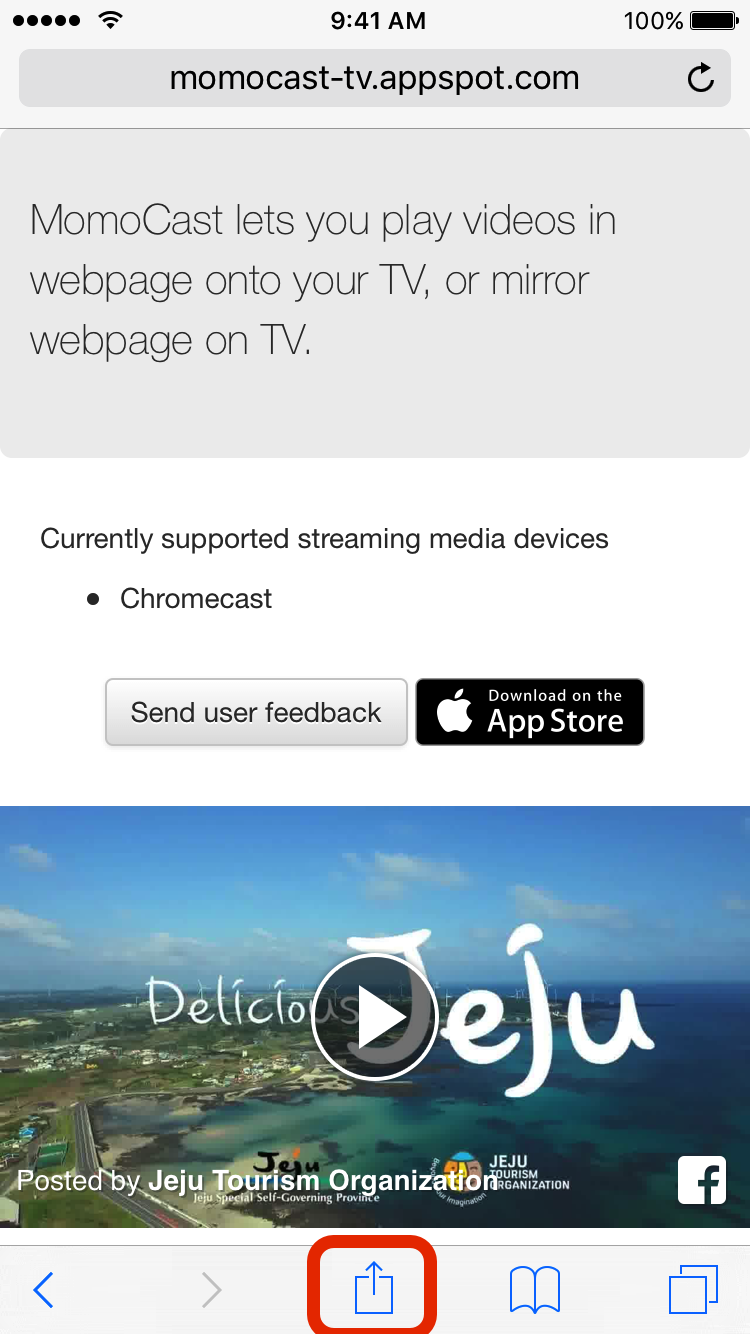
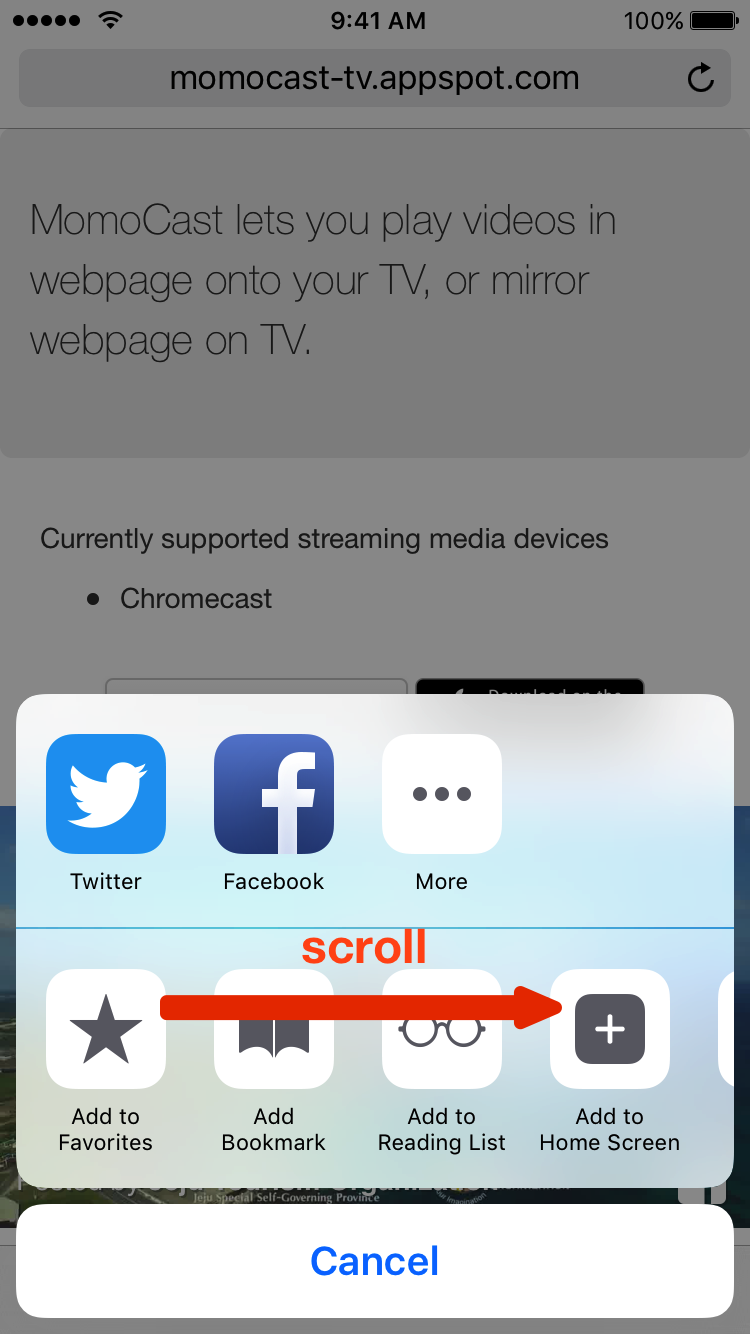
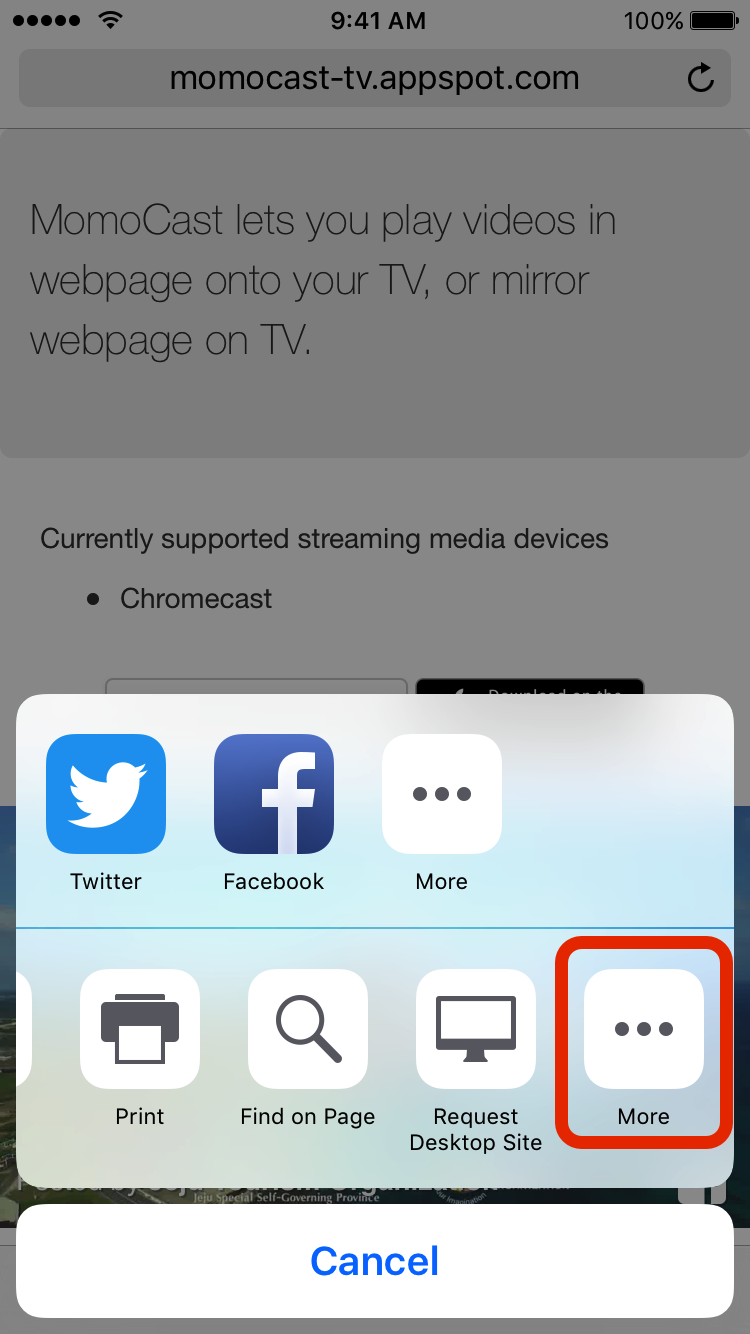
Turn on 'Cast with MomoCast'.
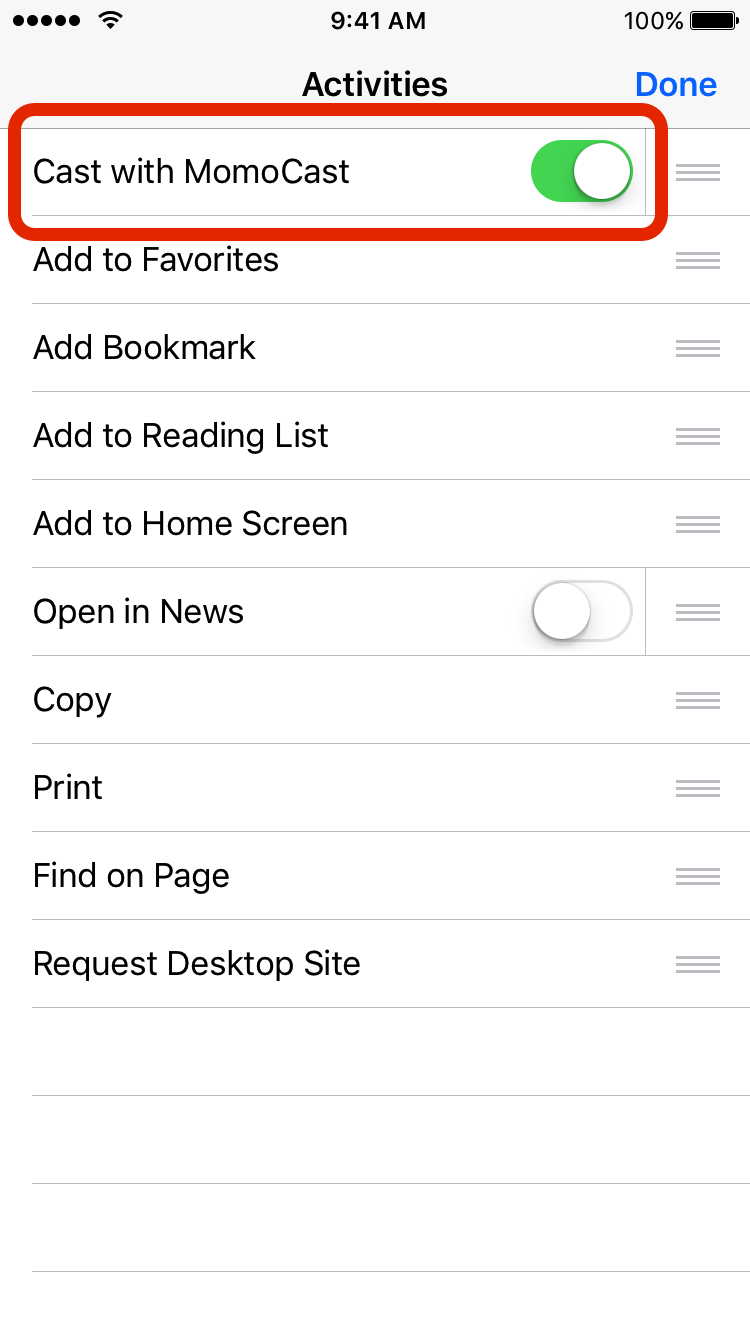
Run extension
After pressing , press  (Cast by MomoCast) to run MomoCast extension.
Sending video to TV
We will explain how to send the video in webpage to TV and play using the video sample below.
- Press the
 on top of the screen
 - Select the TV
- Play the sample video
Video control screen will pop up when bottom toolbar is pressed.
Pause, Resume, Stop function will available, and play location can be changed.
Live Streaming is currently not supported.
If Chromecast does not show up in the list, please refer to Chromecast Troubleshooting.
Mirroring
Let us take a look at how to mirror webpage to TV.
- Press the on top of the screen
- Press the 'Mirror Screen'
Screen rotation mode will be applied.
When iOS device's screen is rotated horizontally, full screen will be shown on TV.
Close extension
Press 'Close' to end the MomoCast extension.
Current video will continue to play if the extension was closed while video was on.